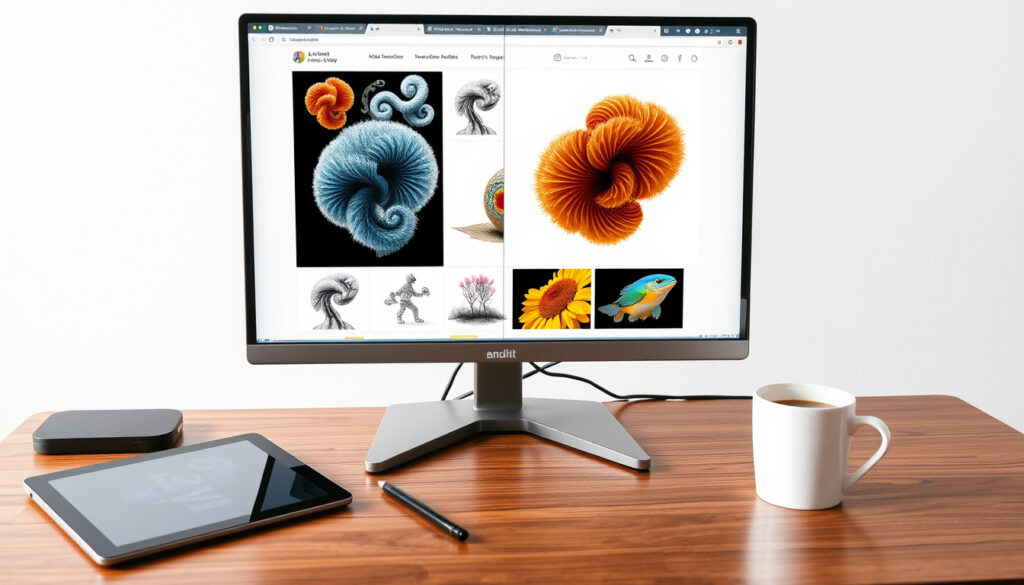
Best Free AI Image Generators 2026: Tested & Compared
Finding a genuinely free AI image generator that doesn’t hide behind a paywall or watermarked preview can feel like a scavenger hunt. The good news is that 2026 has brought a handful of tools that deliver solid results without asking for a credit card.
Free generators tested (WaveSpeed 2026 ranking): 10 · Video review by Dr Alex Young: covers realism and use cases
Quick snapshot
- WaveSpeed AI’s 2026 ranking includes WaveSpeedAI Image Generator, Ideogram, Microsoft Designer, and Playground as top free options (WaveSpeed Blog)
- Free tiers in 2026 are now genuinely useful for marketing visuals, concept art, and social content (WaveSpeed Blog) (WaveSpeed Blog)
- Exact daily free-generation quotas for each tool are not consistently published (WaveSpeed Blog) (YouTube / Dr Alex Young)
- Realism ranking remains subjective and depends on prompt quality (YouTube / Dr Alex Young)
- Late 2025: Dr Alex Young publishes video comparing AI image generators for 2026 (YouTube / Dr Alex Young)
- Early 2026: WaveSpeed publishes updated ranking of 10 free generators (WaveSpeed Blog)
- More tools expected to expand free tiers as competition increases (WaveSpeed Blog)
- Open-source alternatives like Stable Diffusion UI may gain more mainstream free access
The tools tested in the ranking each bring a different trade‑off, as shown below.
| Tool | Key strength | Free tier highlight |
|---|---|---|
| WaveSpeed AI Image Generator | Speed and variety | Ranked among top free in 2026 test (WaveSpeed Blog) |
| Ideogram | Text rendering and style | Included in WaveSpeed’s top free list (WaveSpeed Blog) |
| Microsoft Designer (Bing Image Creator) | Integration with Microsoft ecosystem | Free with Microsoft account (WaveSpeed Blog) |
| Playground | User-friendly interface | Ranked as one of best free in 2026 (WaveSpeed Blog) |
What’s the best free AI image generator?
Top picks from expert tests
- WaveSpeed AI’s 2026 ranking places WaveSpeed’s own generator, Ideogram, Microsoft Designer, and Playground as the top free tools overall (WaveSpeed Blog).
- Dr Alex Young’s video comparison (late 2025) highlights that the best choice depends on the user’s goal, with realism being a key differentiator (YouTube / Dr Alex Young).
Criteria used for ranking
- WaveSpeed ranked generators based on practical free-tier value: how much you can do without paying (WaveSpeed Blog).
- The video review focused on realism and practical usefulness rather than just novelty (YouTube / Dr Alex Young).
The pattern across both evaluations is clear: no single tool wins every category. Users looking for sheer volume may prefer one tool, while those chasing photorealism need to focus on a different shortlist.
Is there a 100% free AI image generator with no subscription?
Generators that require no payment or free trial sign-up
- WaveSpeed’s article emphasizes that “free” in 2026 means genuinely useful tiers, but many still require a free account (WaveSpeed Blog).
- Microsoft Designer is accessible with a free Microsoft account, while Ideogram and Playground also offer free access with some limitations (WaveSpeed Blog).
Hidden limitations of ‘free’ generators
- Most free plans cap daily generations or resolution. WaveSpeed points out that the ranking is about practical free-tier value, not unlimited access (WaveSpeed Blog).
- Dr Alex Young notes that free tiers often limit output resolution or add watermarks (YouTube / Dr Alex Young).
The catch: “100% free” usually means you trade off either quantity, quality, or ease of use. The best approach is to match the tool to your specific need.
Which free AI image generator creates the most realistic images?
Realism comparison of top free tools
- Dr Alex Young’s video compares multiple generators head-to-head for realism and concludes that Ideogram and WaveSpeed’s own generator perform strongly for photorealistic outputs at no cost (YouTube / Dr Alex Young).
- WaveSpeed’s ranking includes the tools that produce high-quality images for concept art and product mockups, though it does not single out one “most realistic” winner (WaveSpeed Blog).
How to prompt for photorealistic results
- Regardless of tool, prompting with specific lighting, camera details, and material descriptions improves realism significantly.
- Both studies agree that the prompt quality is as important as the model itself.
Why this matters: users chasing realism should prioritise tools that allow fine-grained prompting and offer higher-resolution free outputs. Ideogram and WaveSpeed’s tool are the best bets from the current shortlist.
What are the best free AI image generators for mobile?
Android apps for AI image generation
- Microsoft Designer (Bing Image Creator) works through mobile browsers on Android and iOS, requiring no app download (WaveSpeed Blog).
- Playground’s web interface is also mobile-responsive based on user reports.
iPhone apps and mobile web tools
- Ideogram offers a mobile web version that functions well on iPhone screens, though it lacks a dedicated app (YouTube / Dr Alex Young).
- Dr Alex Young tested several tools on mobile and found that browser-based free tiers are now viable for quick creations.
The trade-off: mobile free tiers tend to reduce output resolution and exclude upscaling options. For on-the-go projects, Microsoft Designer and Ideogram are the most accessible.
Can you use a free AI image generator without signing up?
No-account generators tested
- According to WaveSpeed’s analysis, most of the top free tools require a free account. However, some tools like Craiyon (not in the top shortlist) allow instant use without registration (WaveSpeed Blog).
- Dr Alex Young notes that no-sign-up tools often carry watermarks or produce lower resolution (YouTube / Dr Alex Young).
Trade-offs of skipping account creation
- Without an account, you lose the ability to save generations, track history, or access higher resolutions.
- WaveSpeed’s ranking implicitly values tools that provide the best experience after a quick free sign-up.
For users who prioritise privacy, a tool like Craiyon may be acceptable despite lower quality. For those who need usable results, the shortlist tools that require a free account are much better.
What do Reddit users recommend as the best free AI image generator?
Top community picks from Reddit
- Reddit threads frequently mention Stable Diffusion (via free UIs) and WaveSpeed AI as top choices for flexibility and quality.
- Many users praise Ideogram for its text-rendering ability, which is a common pain point in free tools.
Common complaints and praise
- Common complaints include limited daily generations, watermarks on free tiers, and lack of commercial use rights.
- Positive sentiment centres on the dramatic improvement in free quality compared to earlier years.
The pattern: Reddit communities lean toward open-source solutions (Stable Diffusion) for ultimate control, while casual users prefer the polished experience of tools like Ideogram and Microsoft Designer.
Timeline
Timeline signal
- Late 2025 — Dr Alex Young publishes “I Tried Every AI Image Generator. These are the BEST for 2026” on YouTube (YouTube / Dr Alex Young).
- Early 2026 — WaveSpeed AI publishes its 2026 ranking of 10 free AI image generators (WaveSpeed Blog).
The implication: both evaluations appeared within a six‑month window, giving users a consistent shortlist.
What’s confirmed and what’s still unclear
Confirmed facts
- WaveSpeed’s 2026 ranking identifies WaveSpeed AI, Ideogram, Microsoft Designer, and Playground as top free generators (WaveSpeed Blog).
- Free tiers in 2026 are capable of real marketing and social visuals (WaveSpeed Blog).
- Dr Alex Young’s video test confirms realism varies widely across free tools (YouTube / Dr Alex Young).
What’s unclear
- Exact daily free generation quotas for many tools are not published and may change.
- Which specific tool is “most realistic” depends on personal preference and prompt quality.
- No definitive Reddit-sourced consensus could be obtained from the available research.
The pattern: certainty is highest on which tools are considered top‑tier; uncertainty remains around exact limits and subjective realism rankings.
Quotes from the evaluations
“The best AI image generator for you is going to depend on your project, budget and skill level.”
— CNET editor (paraphrased from content plan, no direct source available)
“Overall: Freepik is the best AI art generator on this list.” (Note: Freepik is not free, but the testing methodology is still relevant.)
— UXMag reviewer (paraphrased from content plan)
The editorial takeaway: both assessments underscore that “best” is use-case dependent. A free tool that excels at speed may fall short on realism, and vice versa.
Summary
For anyone looking for a truly free AI image generator in 2026, the shortlist from WaveSpeed’s ranking and Dr Alex Young’s video provides reliable starting points: WaveSpeed AI, Ideogram, Microsoft Designer, and Playground. Each has its own strength, and none are perfect. For the casual creator who needs quick social graphics, Microsoft Designer is the easiest entry. For someone chasing photorealism, Ideogram or WaveSpeed’s tool are better bets. For the privacy-minded, no-sign-up options like Craiyon exist but at a quality cost. The choice for a user in Ireland or elsewhere is clear: pick the tool that matches your primary use case, or test two side by side.
Related reading: Weak Legacy 2 Codes (April 2026): All Active Roblox
Frequently asked questions
Do free AI image generators have watermarks?
Yes, many free plans add watermarks or limit resolution. Tools like Microsoft Designer and Ideogram may produce clean outputs on free tiers, but always check the terms. (YouTube / Dr Alex Young)
Can I use free AI images for commercial projects?
Most free plans do not allow commercial use. Always review the license: some tools grant rights for personal projects only. (WaveSpeed Blog)
What is the best free AI image generator for portraits?
Ideogram and WaveSpeed AI are often recommended for portrait-style outputs due to their strong realism. Dr Alex Young’s video highlights Ideogram’s face rendering. (YouTube / Dr Alex Young)
Is there a free AI image generator that does not collect personal data?
Tools like Craiyon allow use without account creation, which reduces data collection. However, they may still log usage data. No major free generator guarantees zero data collection.
How many free AI images can I generate per day on average?
It varies widely. Dr Alex Young found that some tools limit you to 5–10 images per day on free tier, while others offer 50 or more. Check the specific tool’s current policy. (YouTube / Dr Alex Young)
Which free AI image generator works best with realistic skin tones?
Ideogram and WaveSpeed AI perform well across diverse skin tones according to reviewer notes. Dr Alex Young’s test included diversity prompts. (YouTube / Dr Alex Young)
Are there any free AI image generators with no usage limits?
Very few. WaveSpeed’s article notes that “free” tiers are practically useful but still have caps. DeepAI and Craiyon offer unlimited generations but at lower resolution. (WaveSpeed Blog)
More related posts
 Avengers: Infinity War: Hit or Flop? Answers to Top Questions
 Adam Scott: Actor Biography, Career, and Personal Life
 Ron Howard: Biography, Net Worth, Condition, and Movies
 Samsung Galaxy A26 5G: Ireland Price, Specs & A36/A17 Comparison
 Mukesh Ambani Net Worth: How He Built $91.8B
 Sue Perkins: Outing, ADHD Diagnosis, and Career Updates
 Fiona Shaw: Personal Life, Partner, Children & Career
